
 Airfoil
 Audio Hijack
 Farrago
 Fission
 Loopback
 Piezo
Piezo
 SoundSource
Copyright © Rogue Amoeba Software, Inc. All rights reserved.


All of our software is available as a free download, right from our web site. To get started with Farrago, just click on the Farrago icon on our front page, then click the “Free Download” button. The application will be downloaded to your computer, ready for your use. For your safety and security, you should only use versions of our software downloaded directly from our site.
With our free and fair trials, you can take our products for a test drive before purchase. We make all features and functions available during these trials, enabling you to confirm that the software does what you need.
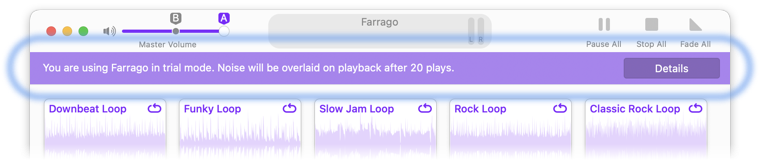
While in trial mode, Farrago will have certain limitations:
Noise will be overlaid on all audio playback after 20 sounds are played. Quit and relaunch Farrago to reset the trial.
If you have questions, we're always here to help, both while using the trial and after you purchase. Get in touch with our support team.
The software you download from our site contains both the trial version and the full version, so no additional download is needed. When you purchase the software through our store, you'll receive a personalized license key. Enter that key in the app's License window to unlock the full version of the software. When the license key is accepted, all trial limitations are immediately lifted.

If you need personal assistance or want to provide feedback, our friendly support team is available via email. Click below to get in touch:
Contact UsWe're amazingly responsive! We strive to reply in under 24 hours.